Week 6

Project file 1
Live Demo

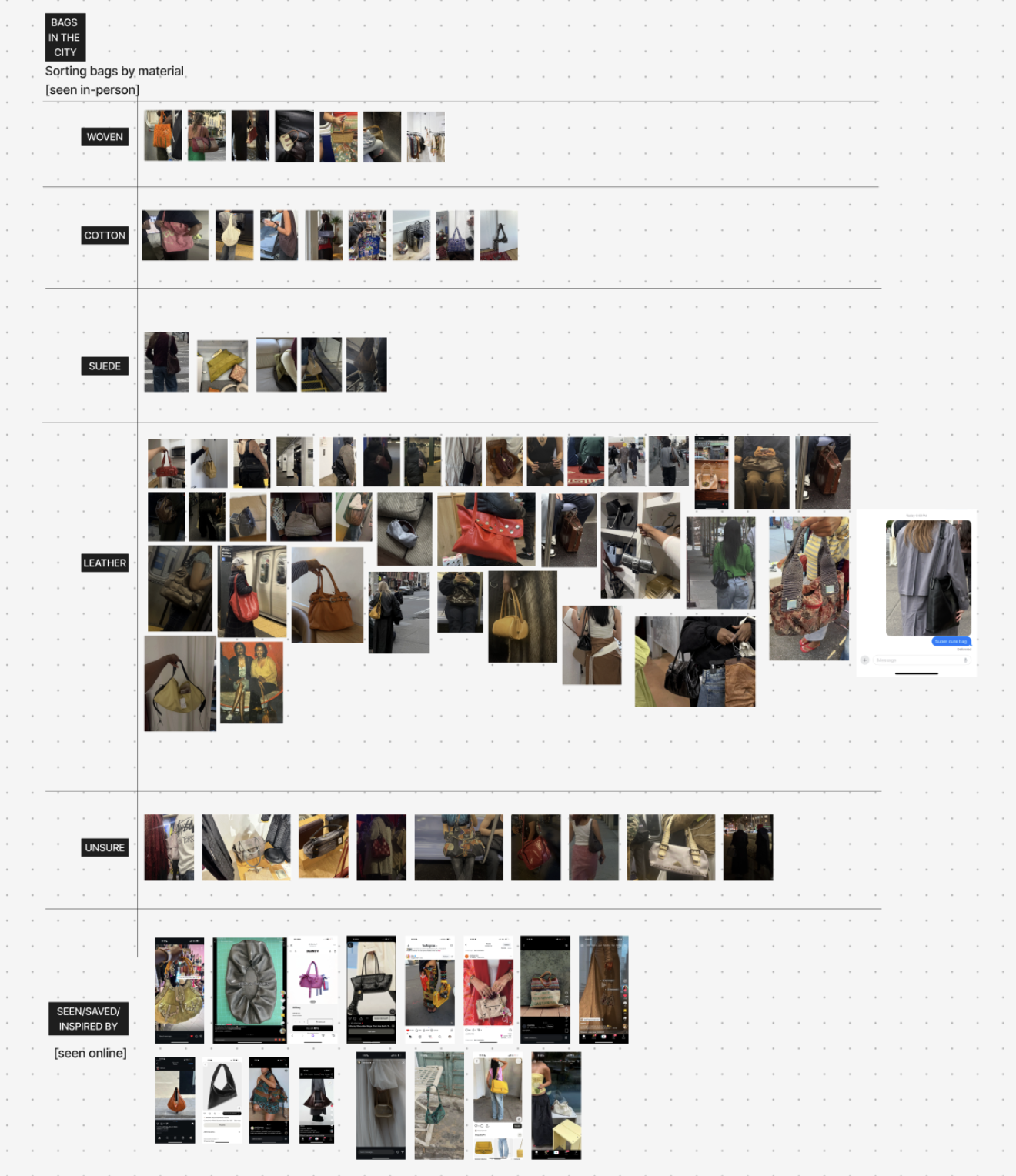
Since moving to New York, I've noticed how drawn I am to people's accessories, especially their bags. The city is full of stylish people and outfits, and I kept coming across bags that caught my attention, whether I photographed them or not. So I chose bags as my object of observation and organized them through the morphology of material. The archive collects about 86 bags from two sources: bags I encountered in person on the street and subway, and bags I saved from social media because they caught my eye or made me want to make one. As I only have 86 bags photographed, this felt intentional as I was only capturing what actually caught my eye versus capturing any and all bags. I chose to categorize by material as it felt closest to what first caught my eye. I notice how a bag looks and feels before I notice how it's carried.

Credits & References

N/A
Week 4

Project file 1
Project file 2
Project file 3
Project file 4
Project file 5
Live Demo

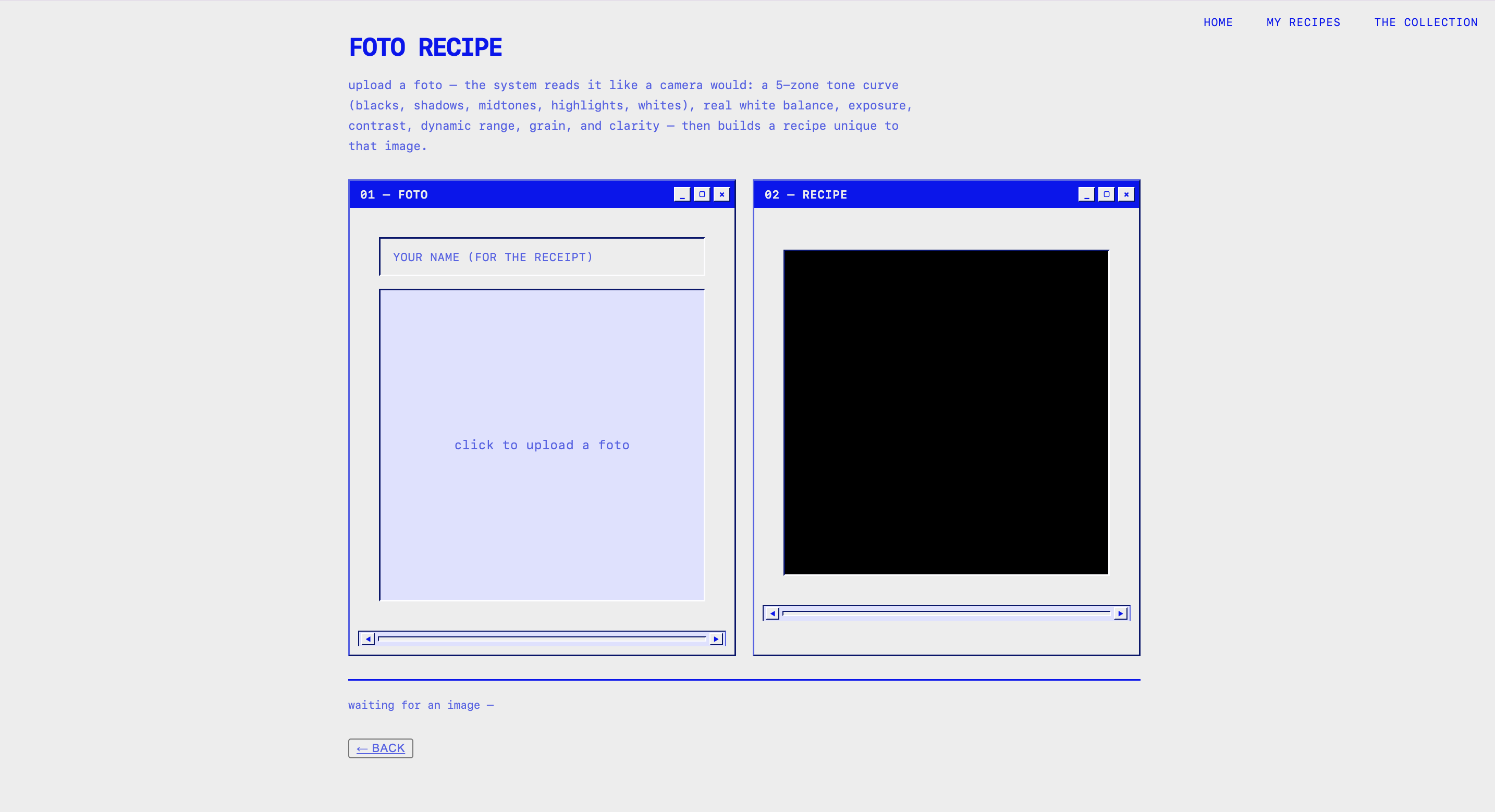
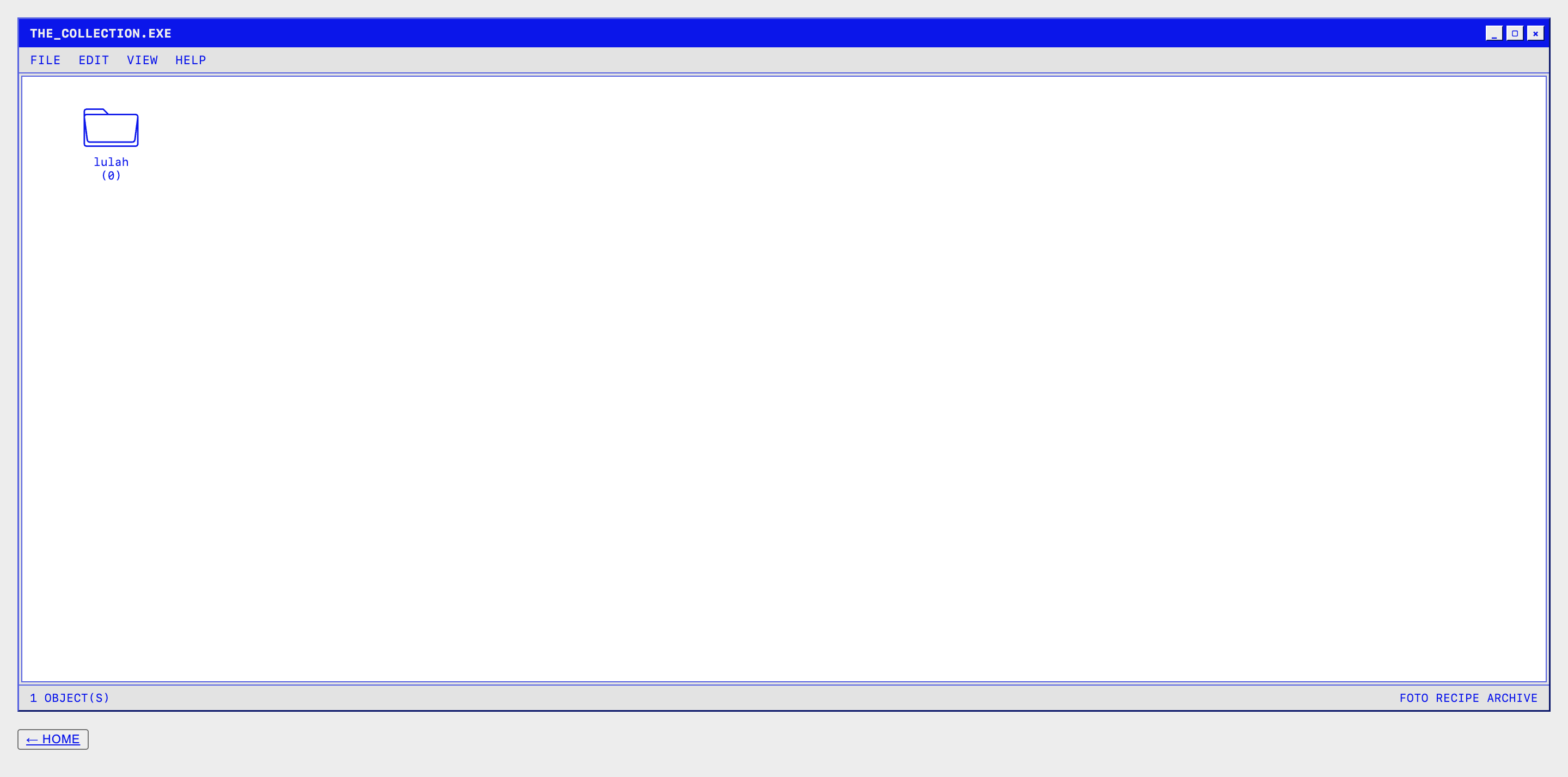
Foto Recipe is an intelligence system that is inspired by what my Fujifilm X-S20 actually does when it adds film simulation. Instead of writing about the "intelligence" behind it, I built a working version of an extractive logic. Upload a photo and it reads it the way the camera would: a 5-zone tone curve (blacks, shadows, midtones, highlights, whites), real white balance/temperature, exposure, contrast, dynamic range, and grain, all pulled from the actual pixels, no presets. From that, it generates three things: a "developed pattern," an abstract, textile-looking pattern built from the photo's own real colors and tones, so it's basically a visual fingerprint of the image; a vintage-style recipe receipt that translates the readout into plain language plus the full technical settings; and a recipe chart with a pie chart of the tone zones and sliding gauges for saturation and warm/cool temp. The whole site is styled like an old-school desktop: beveled windows, pixel cursor, draggable pop-ups, so the camera's invisible math feels tactile instead of hidden in a menu. You can save recipes to 'the collection' and pull them back up later with the original photo, pattern, and receipt all together. Basically: making the camera show its work.

Credits & References

claude

Week 2

Project file 1

I forgot to include a screenshot of my VSCODE prototype so I attached it below as apart of my previous submission

Credits & References

refer to previous submission

Week 1

Project file 1
Project file 2
Project file 3
Project file 4

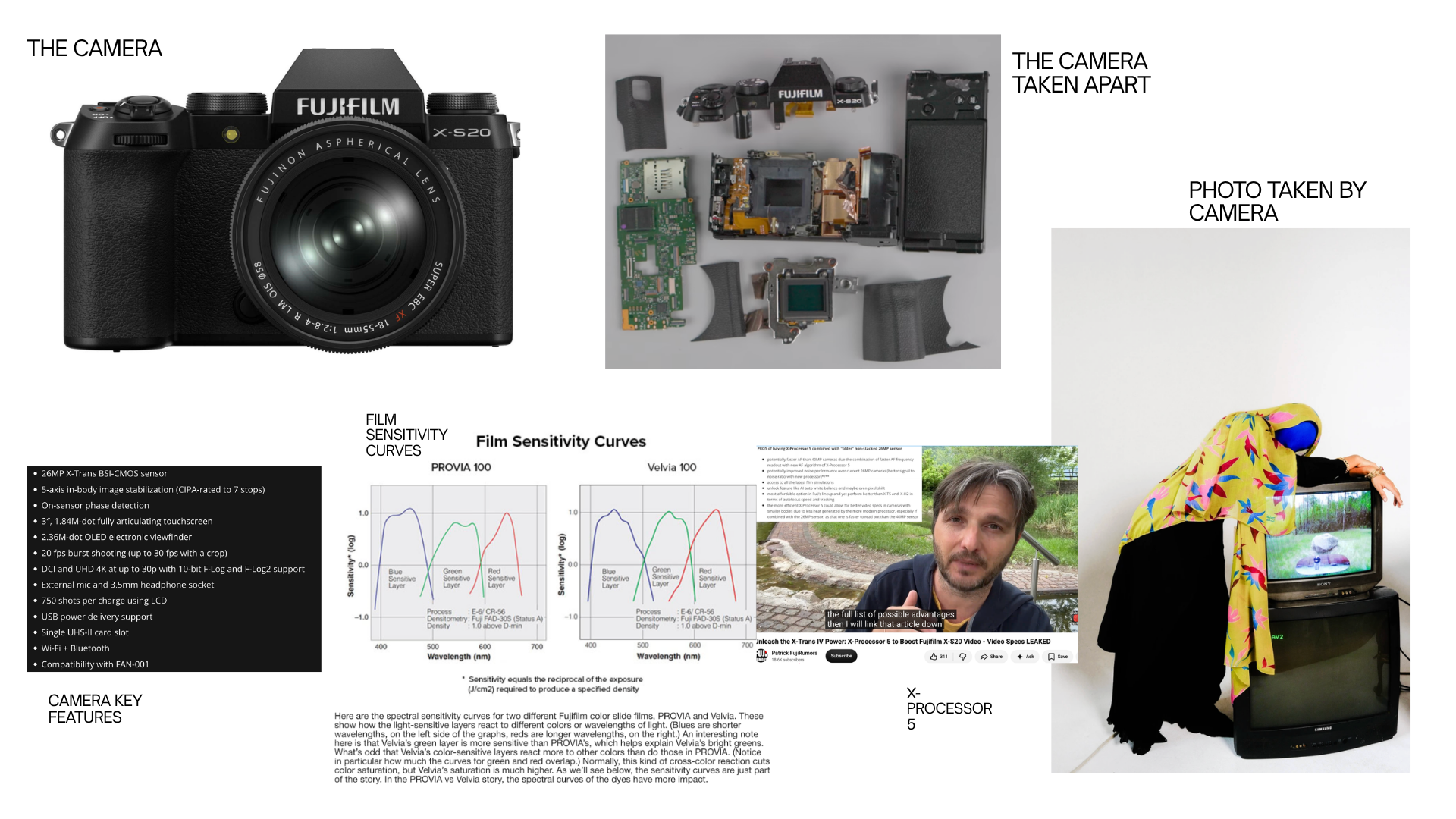
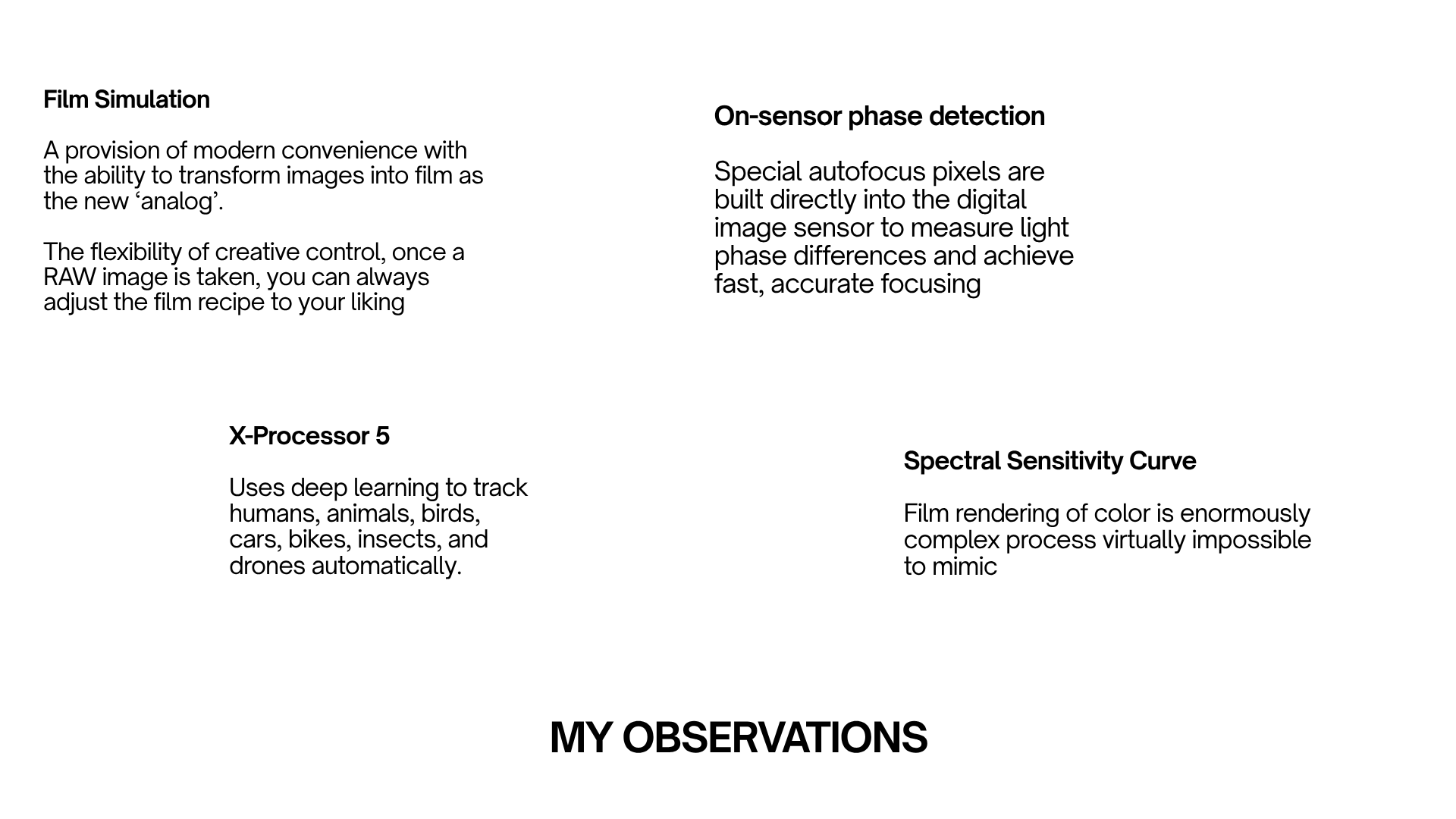
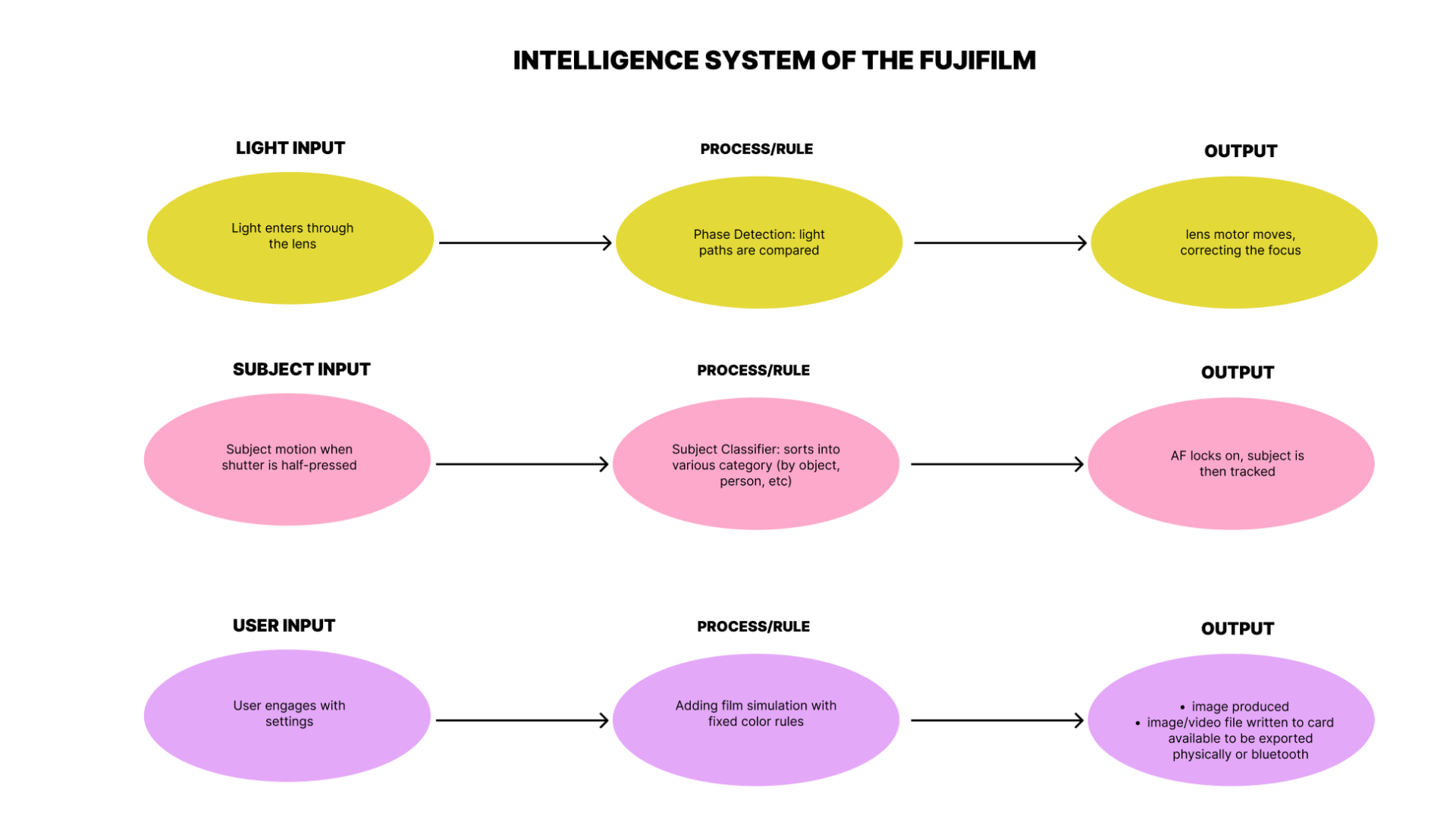
I chose to analyze the Fujifilm Camera xs20 as my system of intelligence to research and probe about.

Credits & References

About the Camera: https://www.fujifilm-x.com/global/products/cameras/x-s20/ AUTOFOCUS https://photographylife.com/how-phase-detection-autofocus-works FUJI’s FILM SIMULATION https://www.imaging-resource.com/news/fujifilm-film-simulations-definitive-guide/ KEY FEATURES: https://www.dpreview.com/reviews/5886870236/fujifilm-x-s20-review/#subpage-656109 Youtube Video: https://www.youtube.com/watch?v=W3nVt7RDp1w Claude AI for condensed understanding of my overall research on various fujifilm systems

Week 4

Project file 1
Project file 2
Project file 3
Project file 4
Project file 5
Live Demo

Presentation Slides for: FOTO RECIPE

Credits & References

n/a

Week 3

Project file 1
Project file 2
Live Demo

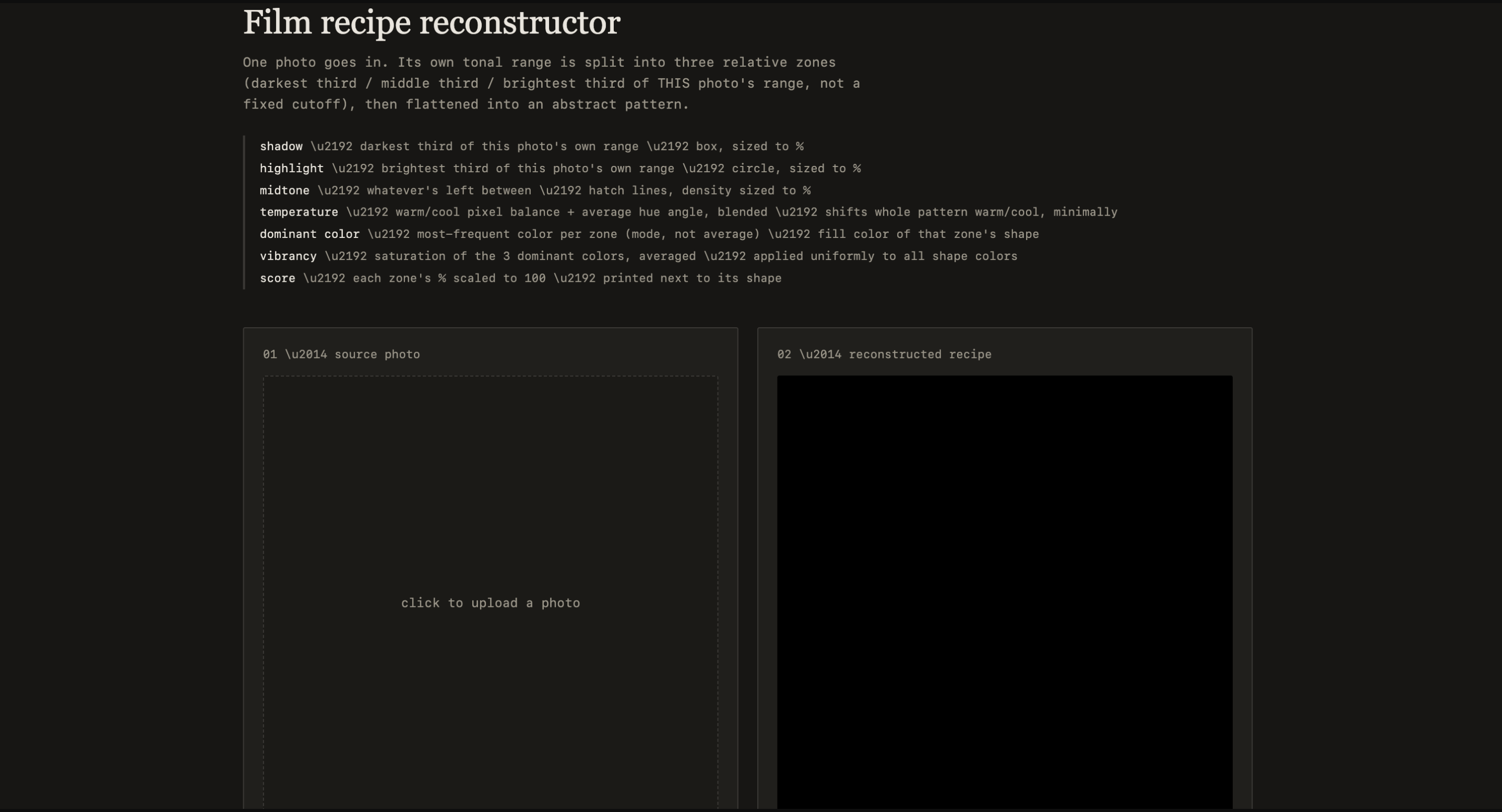
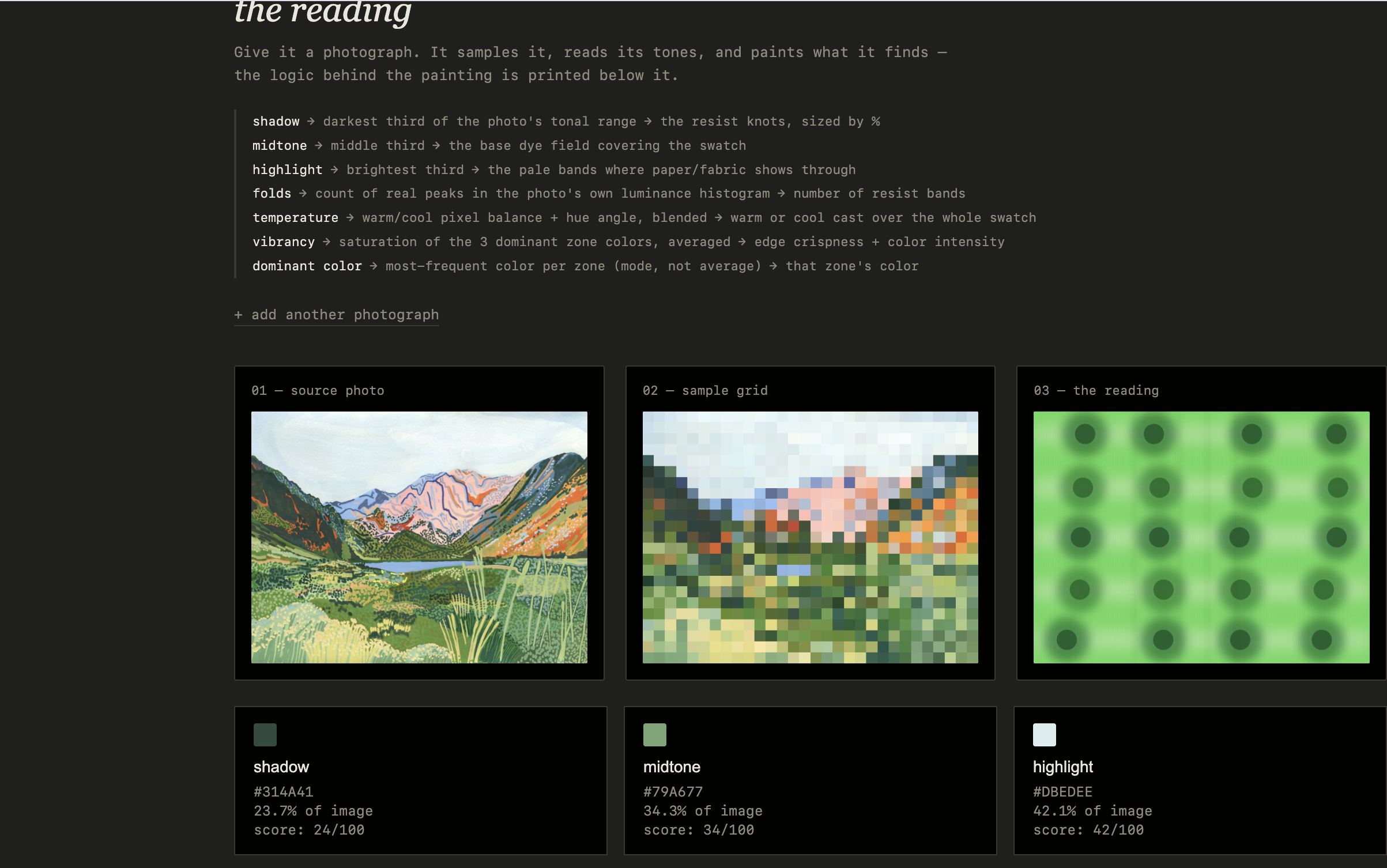
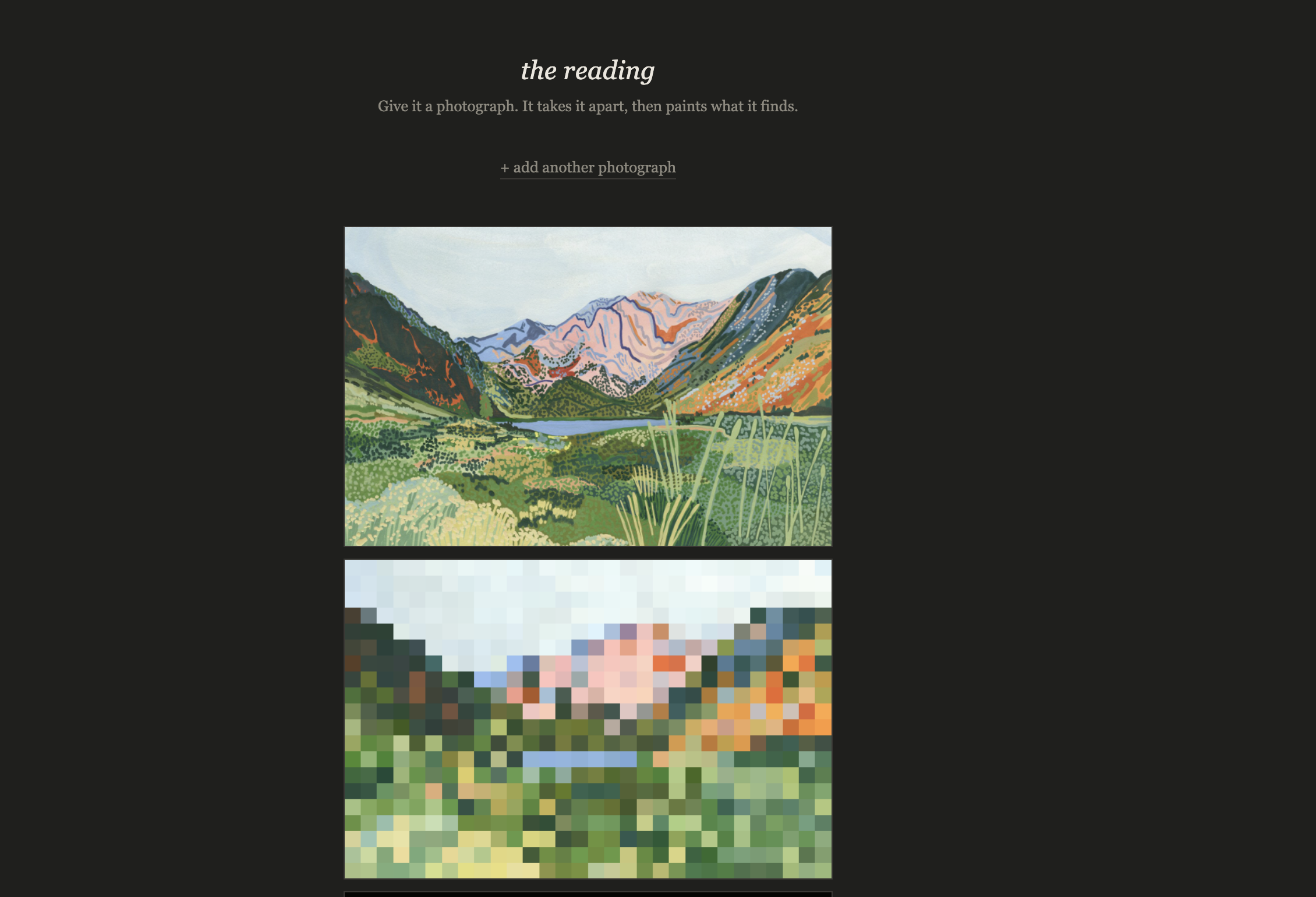
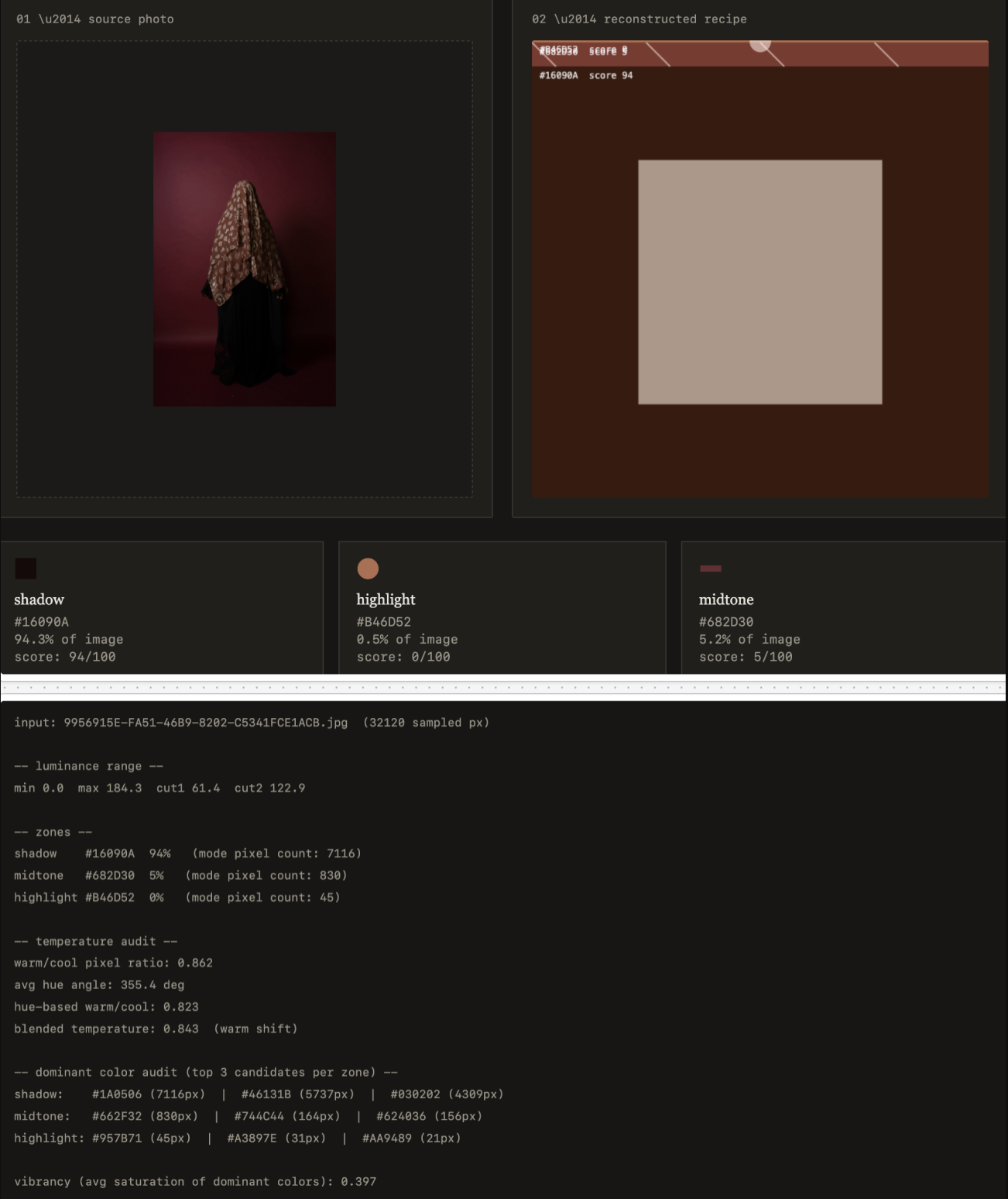
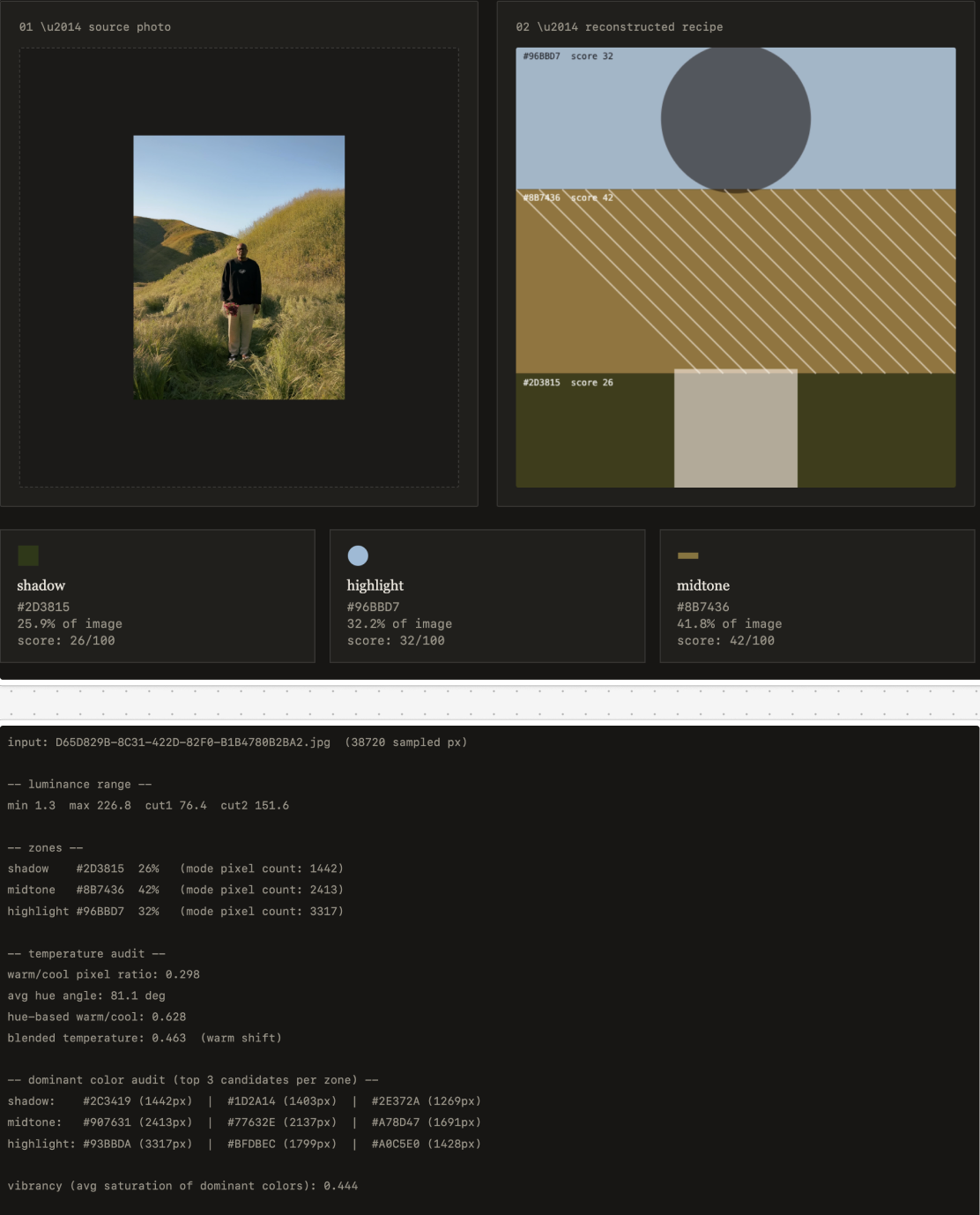
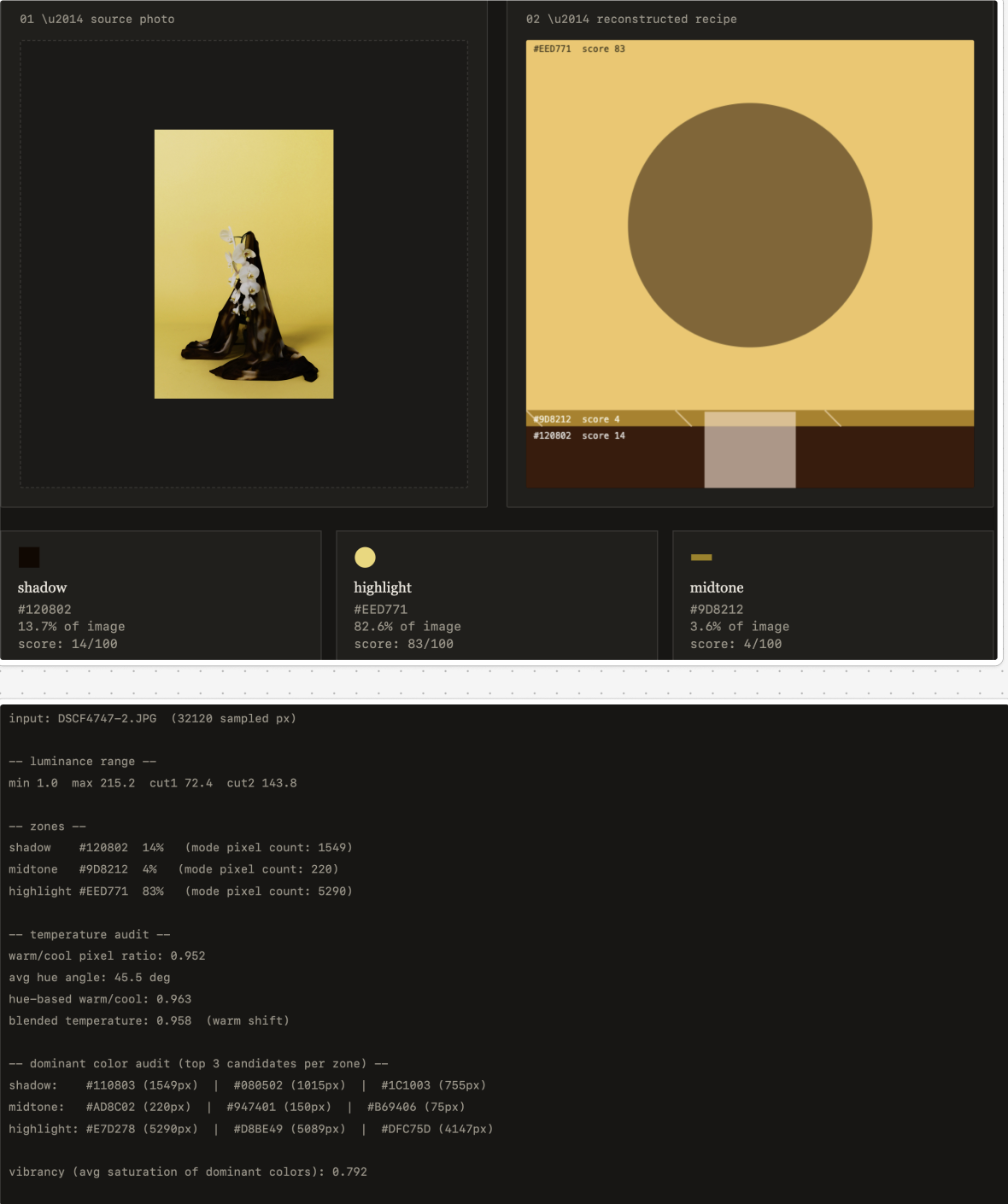
For week 3, I built two versions of my camera intelligence system, both based on the same underlying analysis: splitting a photo into shadow, midtone, and highlight zones, finding each zone's dominant color, and measuring the photo's overall temperature and vibrancy. The first version, (first screenshot below), is the simpler of the two. It takes a photo and paints a single abstracted watercolor "reading" of it, with no numbers or explanation shown. The second version, (second screenshot below), builds on the same engine but is more detailed: it shows the source photo, a pixelated sample grid, and the final abstracted pattern side by side, along with a full data readout and audit log explaining how each part of the image was derived, including how the number of bands in the pattern comes directly from the real peaks in the photo's histogram, not just its colors. Both versions run identical logic underneath; what changes is how much of that logic is shown. The first hides its mechanism entirely, while the second makes it fully visible alongside the same kind of abstracted output, which ended up being a useful middle ground between "legible" and "disguised" for me to think through. That said, I'm not satisfied with the second prototype's current logic. It reads as though it's generating something meaningful, but really it's just blurring and transforming the photo without intelligently communicating what it's doing. I'm planning to remove that processing step and rework the image extraction so the pattern itself more usefully points out what specifically represents the shadows, highlights, saturation, and so on, rather than just producing an abstract result that happens to be derived from that data.

Credits & References

claude

Week 2

Project file 1
Project file 2
Project file 3
Project file 4
Live Demo

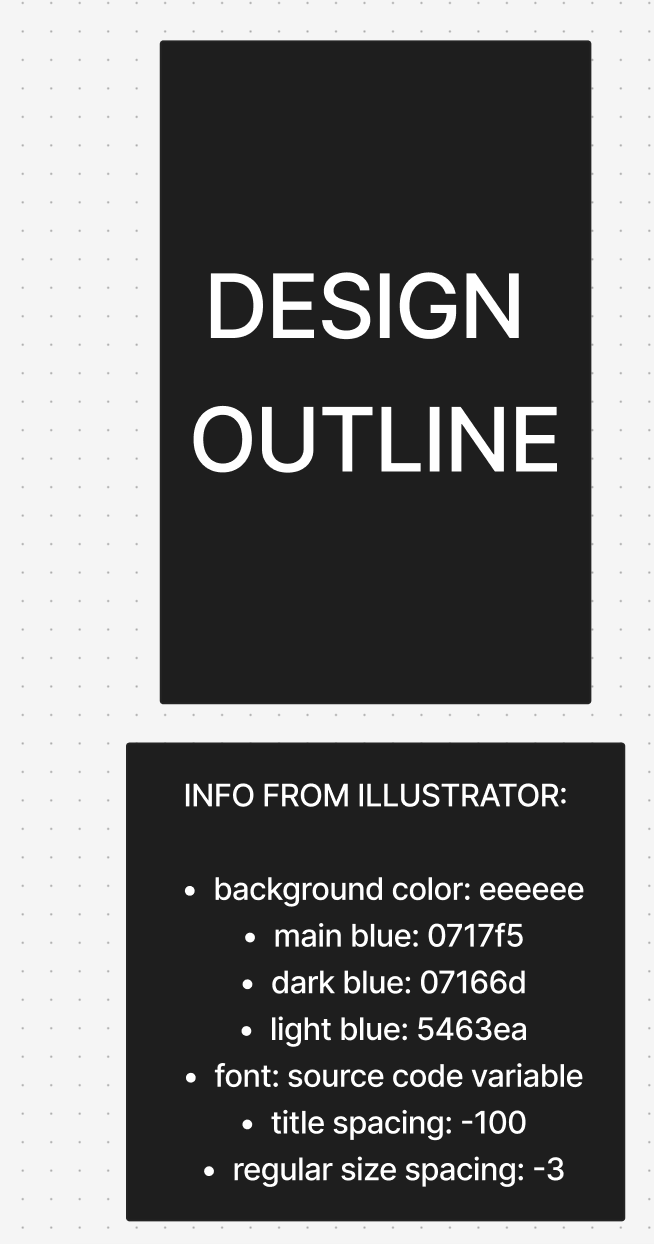
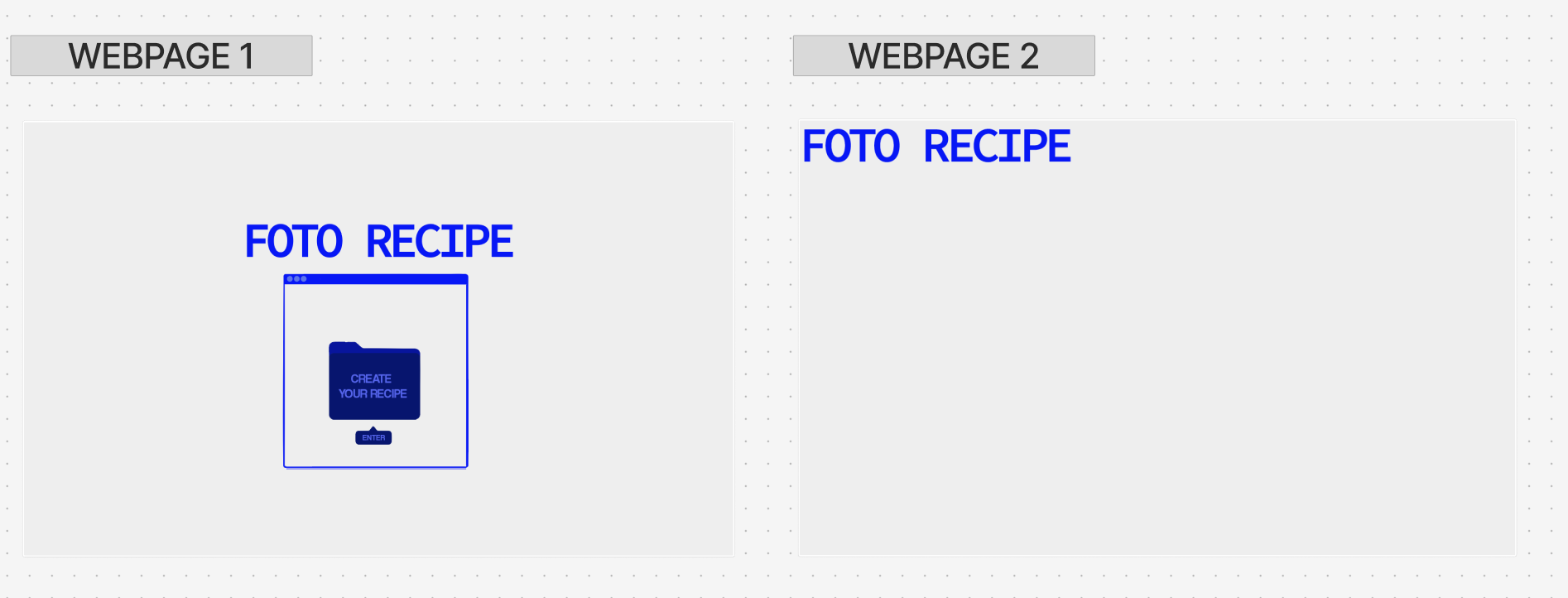
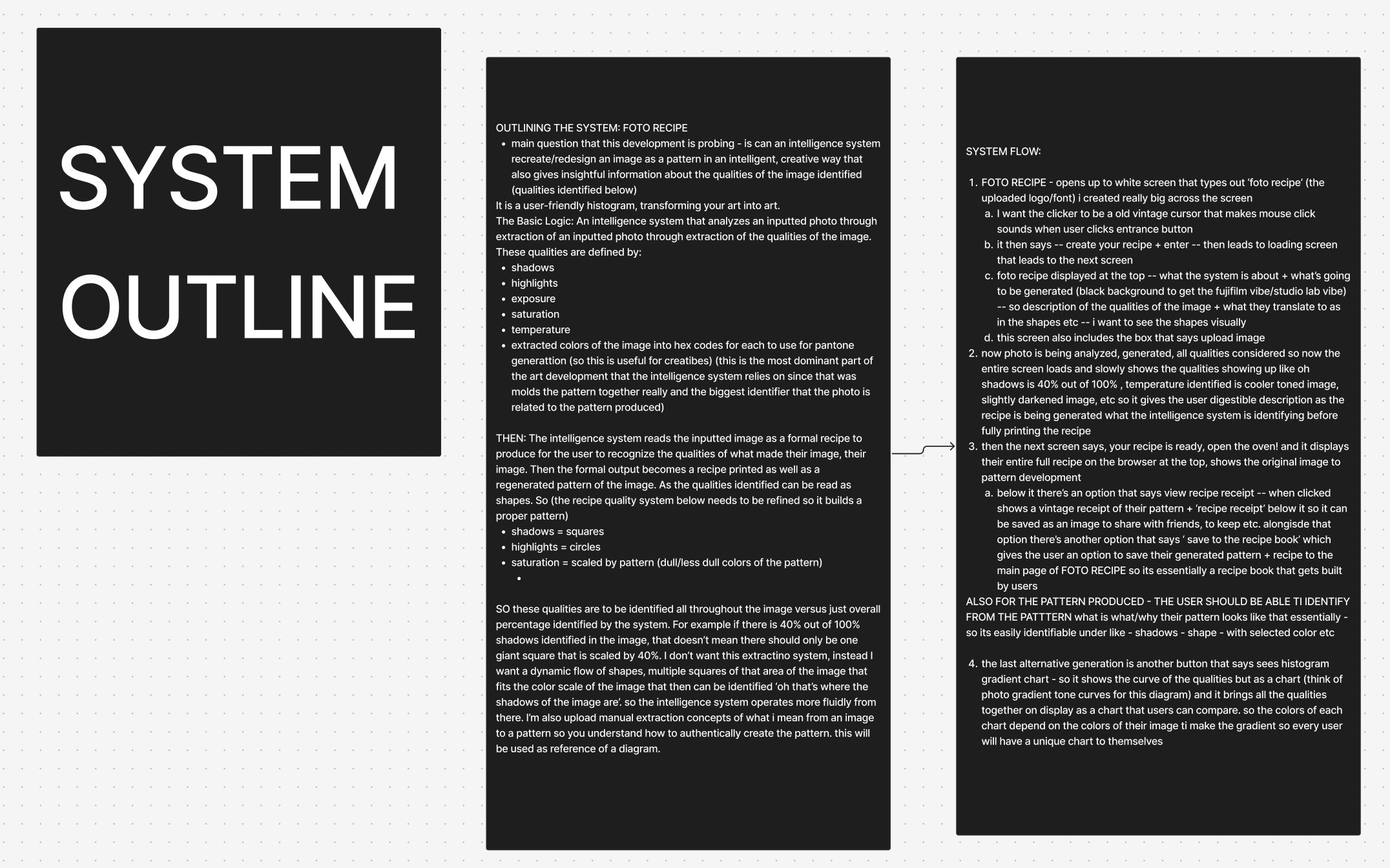
FOTO RECIPE: Throughout researching my intelligence of choice, the Fujifilm camera, I was most intrigued by its film simulation feature and the opportunity to add my own film recipe. So the system I've decided to further explore through prototype is based on this concept of reproducing an uploaded image into a film recipe that essentially extracts the image through patterns that re-identify it based on color codes, brightness, shadows, etc. Linked below are screenshots of the html foto recipe prototype in use as well as three outputs from the prototype itself. I also included my figma board that includes my diagram of brainstorming, system layout, and details of how I want to further develop this prototype.

Credits & References

Claude AI to help produce my diagram + project system into functioning html platform